Blog
The settings of the blog RetroTube adds alongside the videos, and the
addresses of the blog and of its categories and tags. The blog is shown at its
own address, /blog/ by default, so there is no Blog page to create. See
Photos & Blog.
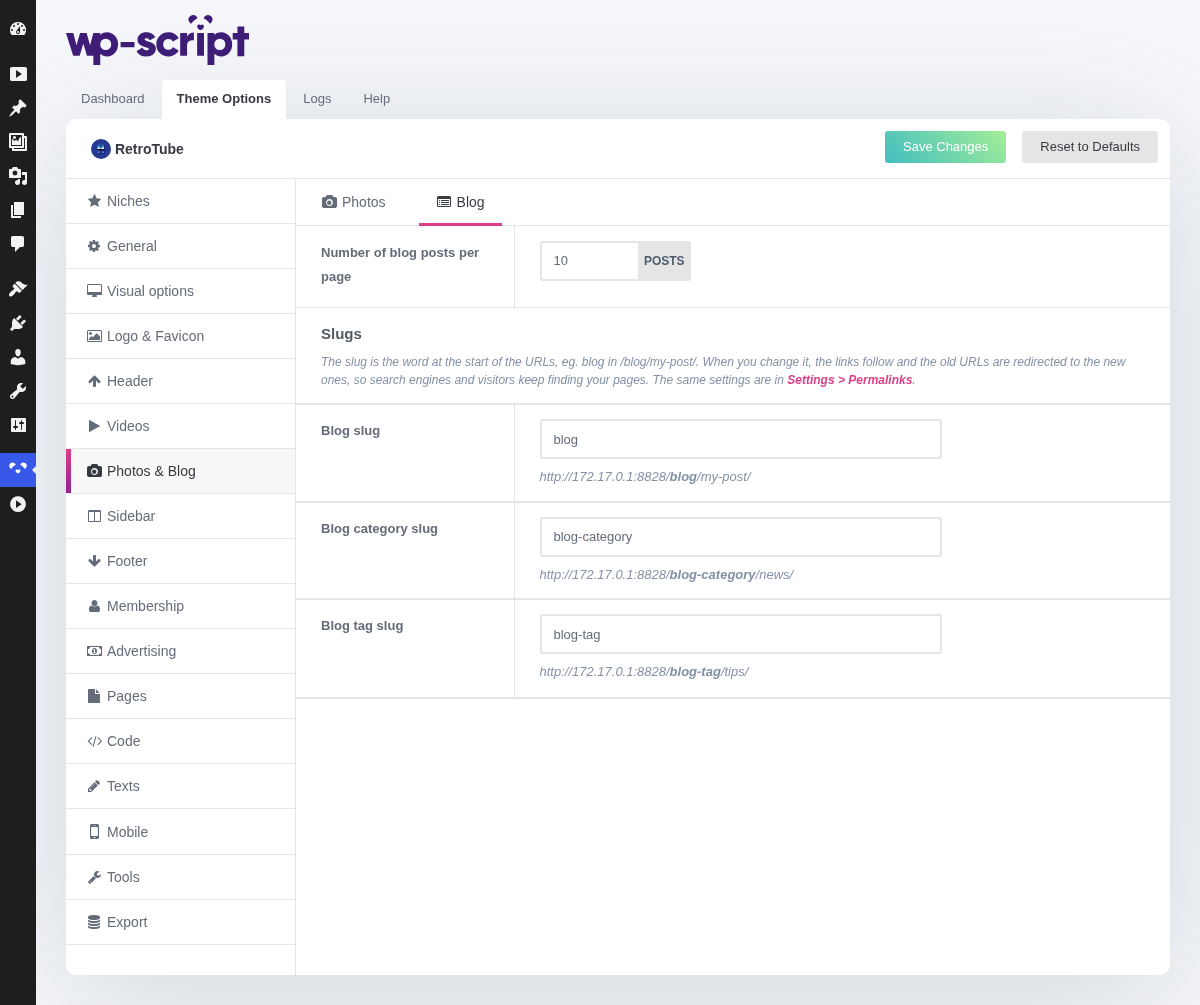
1. Number Of Blog Posts Per Page

Applies to the blog and to the blog archives. Articles are taller than thumbnails, so the figure that works here is lower than the one you use for videos.
Articles live at Blog in the WordPress menu, with their own categories and tags, kept apart from the ones your videos use.
2. Slugs

The slug is the word at the start of the URLs, blog in /blog/my-post/.
When you change it and save, the links of your site follow and the old URLs
are redirected (301) to the new ones, so search engines and visitors keep
finding your articles.
The same three fields are in Settings → Permalinks, in the Optional section: changing a slug in either place changes it in both.
3. Blog Slug

The word in front of the blog and of each article, blog by default. It is
also the address of the blog itself: change it to news and the blog moves to
/news/, with /blog/ redirected there.
4. Blog Category Slug

The word in front of the blog categories, blog-category by default.
5. Blog Tag Slug

The word in front of the blog tags, blog-tag by default.
A slug already used by another part of the theme is refused with a notice and the old one is kept. Leave a field empty to go back to its default.