Video Single Post
Everything the theme prints around a video: the tracking button, the about block, sharing, and the related videos.
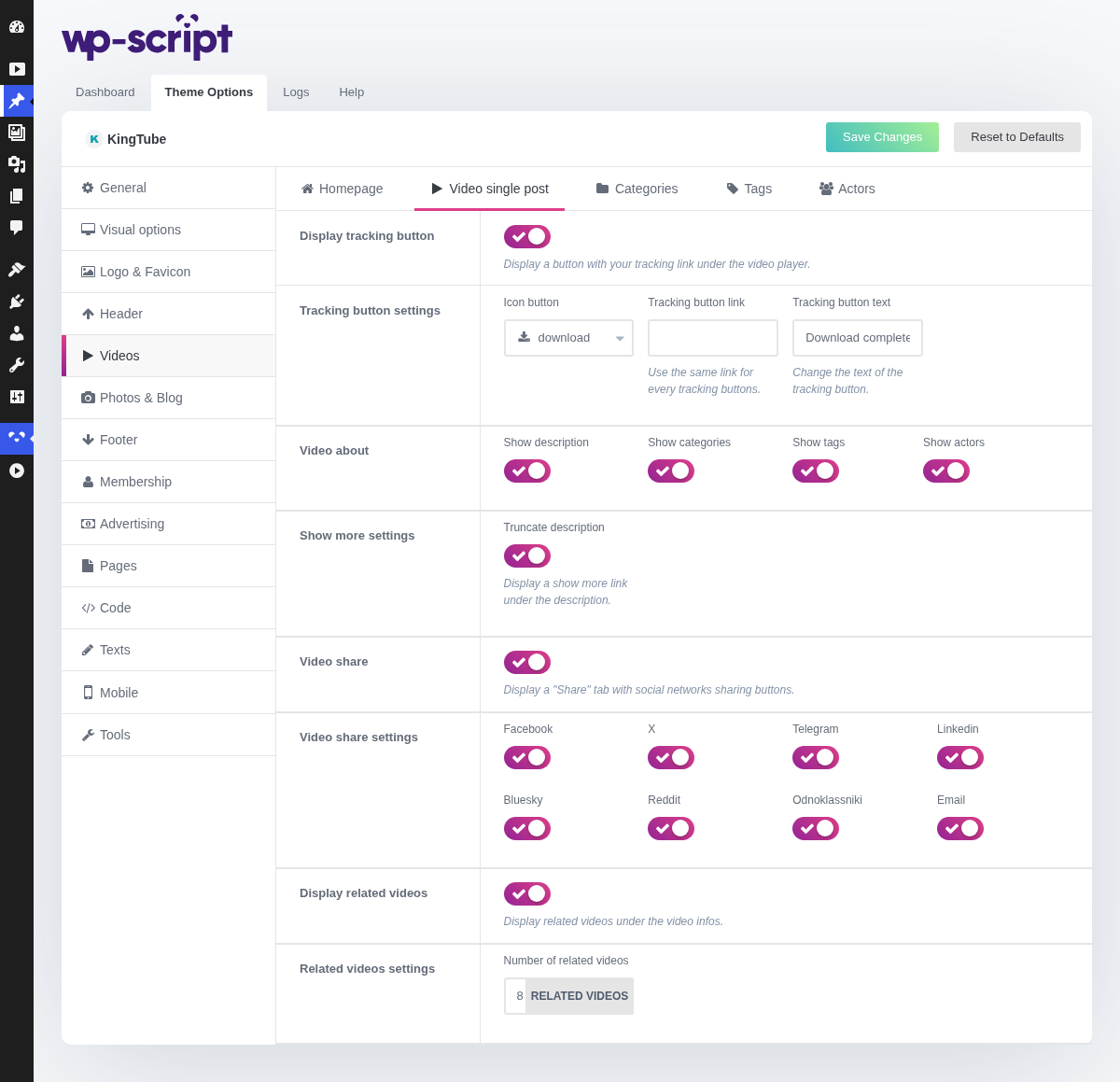
1. Display Tracking Button

Display a button with your tracking link under the video player, fed by each video's Tracking URL. This is the field to use for an affiliate link, when the video is a teaser for something you earn on. A video with no Tracking URL simply shows no button, so turning it on globally costs nothing.
2. Tracking Button Settings

Sets the button's label.
3. Video About

The description block. Worth keeping if you write real descriptions, worth hiding if your imports leave them empty: an empty block under every video reads as a broken page.
4. Show More Settings

Display a show more link under the description.
5. Video Share

Display a "Share" tab with social networks sharing buttons. Earns its place if your audience actually shares, which on an adult tube is less common than on a general one. It costs a row of icons either way.
6. Video Share Settings

7. Display Related Videos

Display related videos under the video infos. This is the one that matters for time on site: it catches the visitor at the moment they finish watching and start looking for the next one. Turning it off is a decision to send that visitor away.
8. Related Videos Settings