Pages
The pages the theme relies on, which page plays each role, and their slug. The Categories, Tags and Actors pages are set in the Videos tab, next to the taxonomy they list.
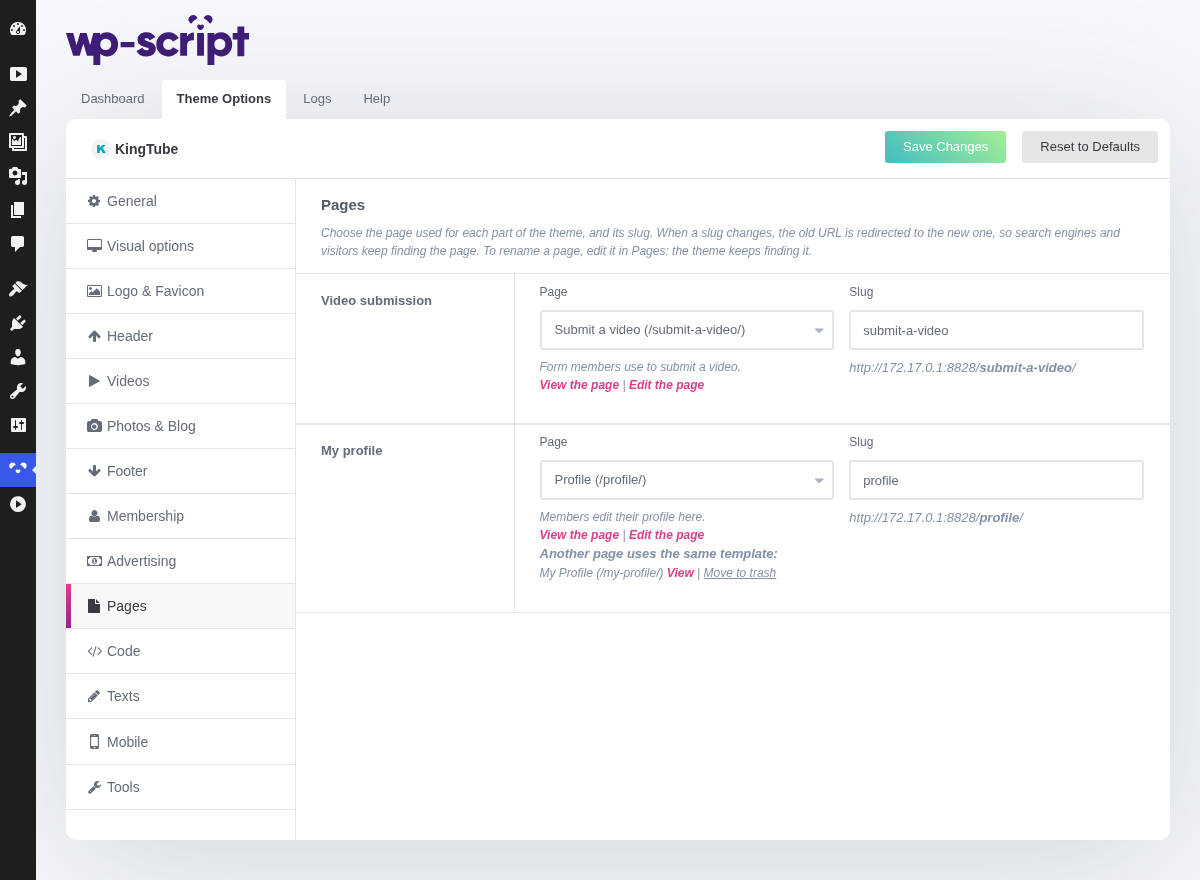
1. Pages

The theme tracks each of its pages by id, not by title or address. You can rename a page in Pages as often as you like: the theme keeps finding it, and it no longer creates a second copy after a rename.
When you change a slug here and save, the old URL is redirected (301) to the new one, so search engines and visitors keep finding the page. WordPress does not do this for pages on its own, which is why changing the slug from this tab (or in the page editor, the theme catches that too) is the safe way to do it.
When more than one page of the theme is missing, a Missing pages row appears at the bottom of this tab. Create the missing pages creates every page of the theme that does not exist, the ones of this tab and those of the Videos tab, each with its template.
2. Video Submission

The page holding the form your members use to submit a video.
The Page list only offers the pages using the Submit a video template: any other page would not show the form. Under it:
- View the page and Edit the page links, and a Not published: your visitors cannot see it. warning when the page is a draft or private.
- This page does not exist. with a Create it button when the page was deleted. One click creates it again, with its template.
- The other pages using the same template, if any, each with View and Move to trash. This is where you clean up the copies older versions of the theme created after a page was renamed. The page goes to the trash rather than being deleted, so you can restore it from Pages.
Slug sits next to the page, with the full address previewed under it as you type. If the slug you type is already taken, WordPress gives the page a free variant and a notice tells you which one it now uses.
Choosing another page for the role makes the menu links to the old page lead to the new one, and a notice tells you how many links followed.
3. My Profile
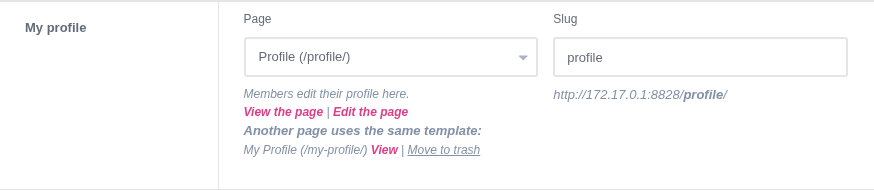
The page where members edit their profile. It works exactly like Video Submission above: only pages using the My Profile template are offered, with the same links, Create it button and slug field.
The My Profile and Submit a video links of the header follow the page and its slug, so changing either no longer leads to a missing page.