Homepage
The text printed on your homepage, and which blocks of videos it shows.
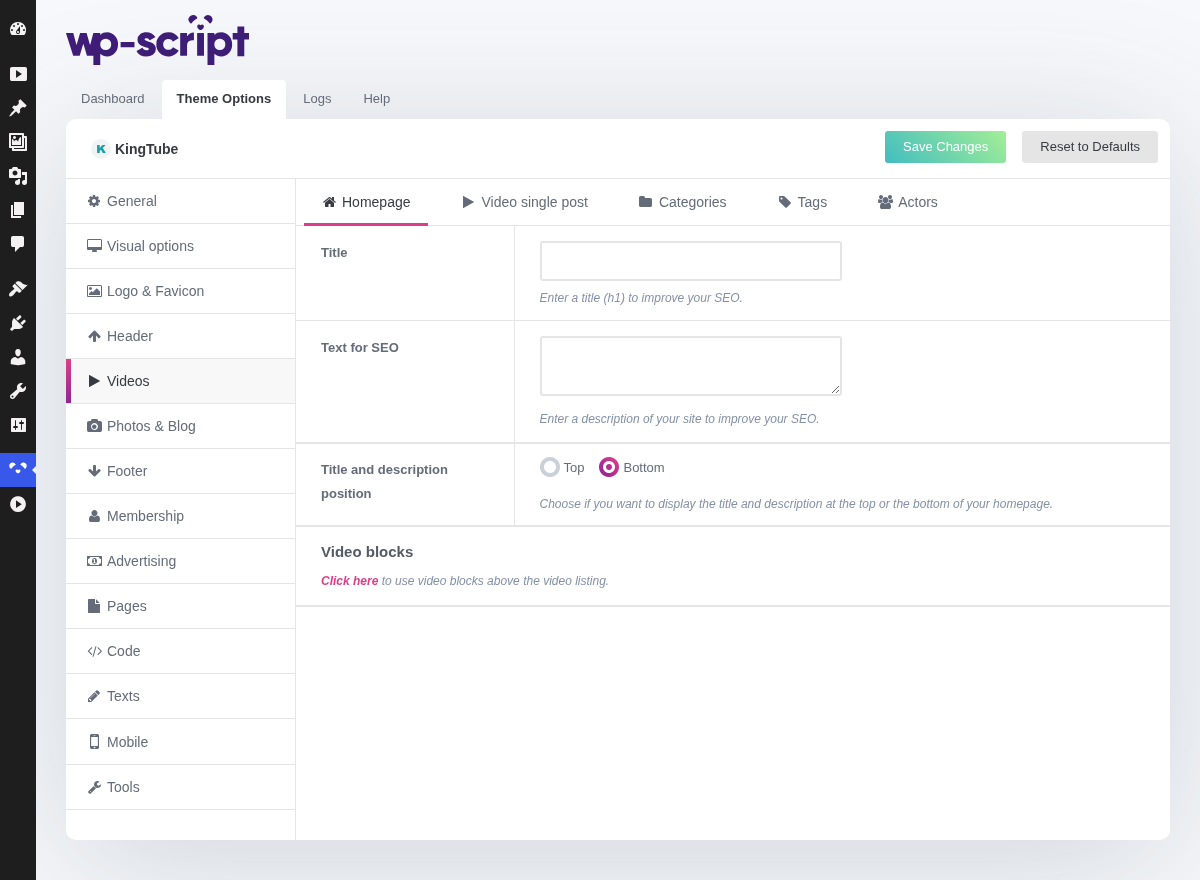
1. Title

Enter a title (h1) to improve your SEO. Printed on the page itself, as a visible heading, not as a meta tag: it is there for the visitor as much as for the search engine, and it is the single piece of writing on your site that no other site has, so it is the highest return you will get from this panel.
2. Text For SEO

Enter a description of your site to improve your SEO. Printed as a paragraph under the title, for the same reason.
3. Title And Description Position

Choose if you want to display the title and description at the top or the bottom of your homepage. Below is the usual choice: the visitor came for videos, and a paragraph between them and the grid is a paragraph they scroll past.
4. Video Blocks

Click here to use video blocks above the video listing. Decides which rows the homepage is built from, which is the setting that shapes a first visit, so it is worth more thought than the rest of the panel.
A homepage of nothing but "latest" rewards visitors who come back, and shows a new visitor whatever you happened to publish last. Mixing in a most-viewed or a random block gives the back of your catalogue a chance to be seen, which on a library where most videos never reach the first page is the difference between them existing and not.