Homepage
What the homepage shows, and the text search engines read on it.
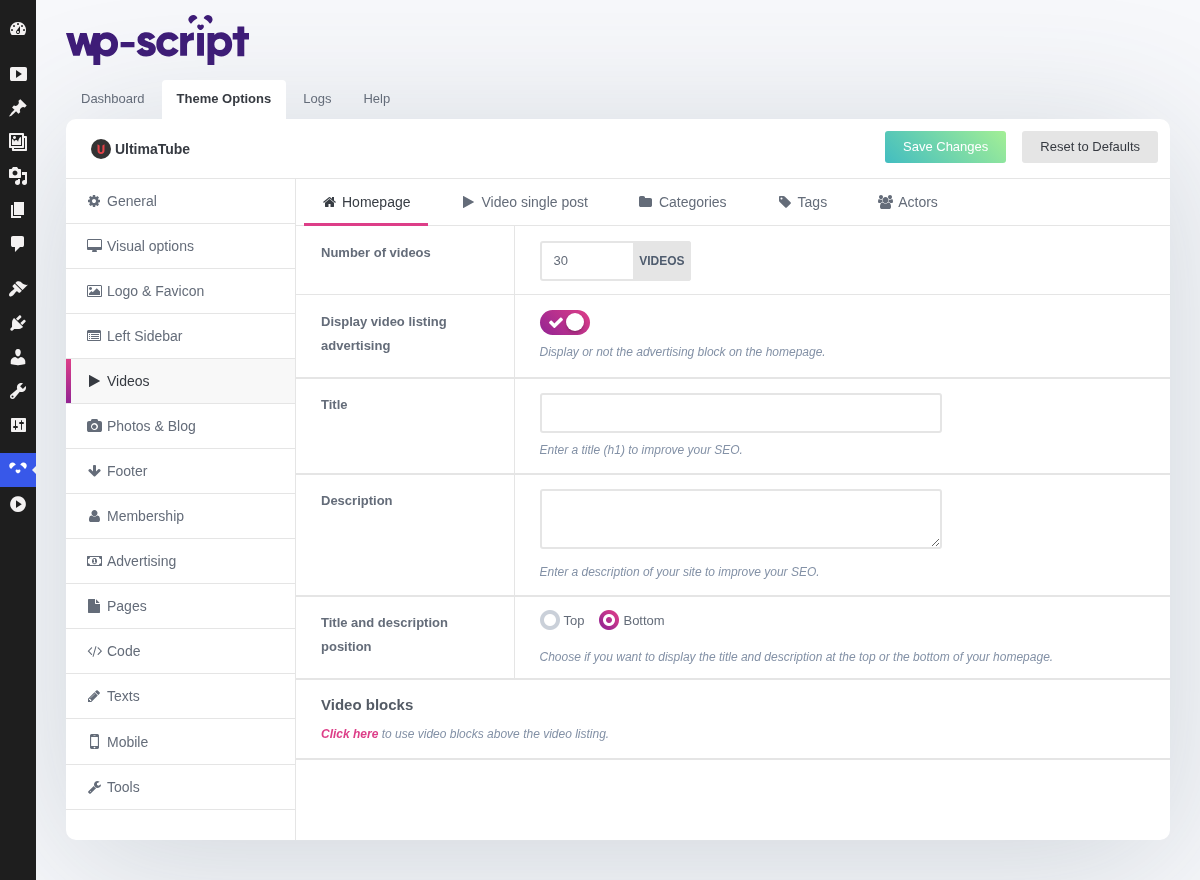
1. Number Of Videos

This figure applies to the homepage only, so it can differ from the one in General that every other listing uses.
A homepage is worth filling more generously than an archive: it is the page most visitors land on, and the one where scrolling costs you the least.
2. Display Video Listing Advertising

Display or not the advertising block on the homepage.
Slots a banner inside the grid rather than above or below it. It earns more than a header banner, since it sits where the visitor is already looking, and it costs more too: it pushes real thumbnails down the page.
The code itself is set in Advertising.
3. Title

Enter a title (h1) to improve your SEO.
WordPress gives a homepage no H1, which is why this field exists. Write it for a reader: a title stuffed with keywords is worth less than an honest one.
4. Description

Enter a description of your site to improve your SEO.
Two honest sentences saying what the site holds beat a paragraph of keywords. This is the only text on the homepage a search engine can read, since everything else is thumbnails.
5. Title And Description Position

Choose if you want to display the title and description at the top or the bottom of your homepage.
Above the videos is what search engines prefer, since they read the page in order, and below is what visitors prefer, since they came for thumbnails. Below is the usual compromise: the text is still on the page and still indexed.
6. Video Blocks

Click here to use video blocks above the video listing.
A listing is the same grid as a category page: your latest videos, then pagination. Simple, always has something to show, and the right answer on a site with a few dozen videos.
Video blocks replace it with several smaller grids, each with its own filter: most viewed, longest, random, a given category. That is what the big tubes do, because it gives a returning visitor several entry points instead of one, and it leaves room for a banner between the blocks.
Blocks are widgets, so they live in Appearance → Widgets and the button here sends you there. They are also the only shape that looks empty on a new site: five blocks of three videos on a site holding twelve videos shows the same clips five times.