Categories
The page listing every category and the category archives: which page plays each role, their addresses and their options.
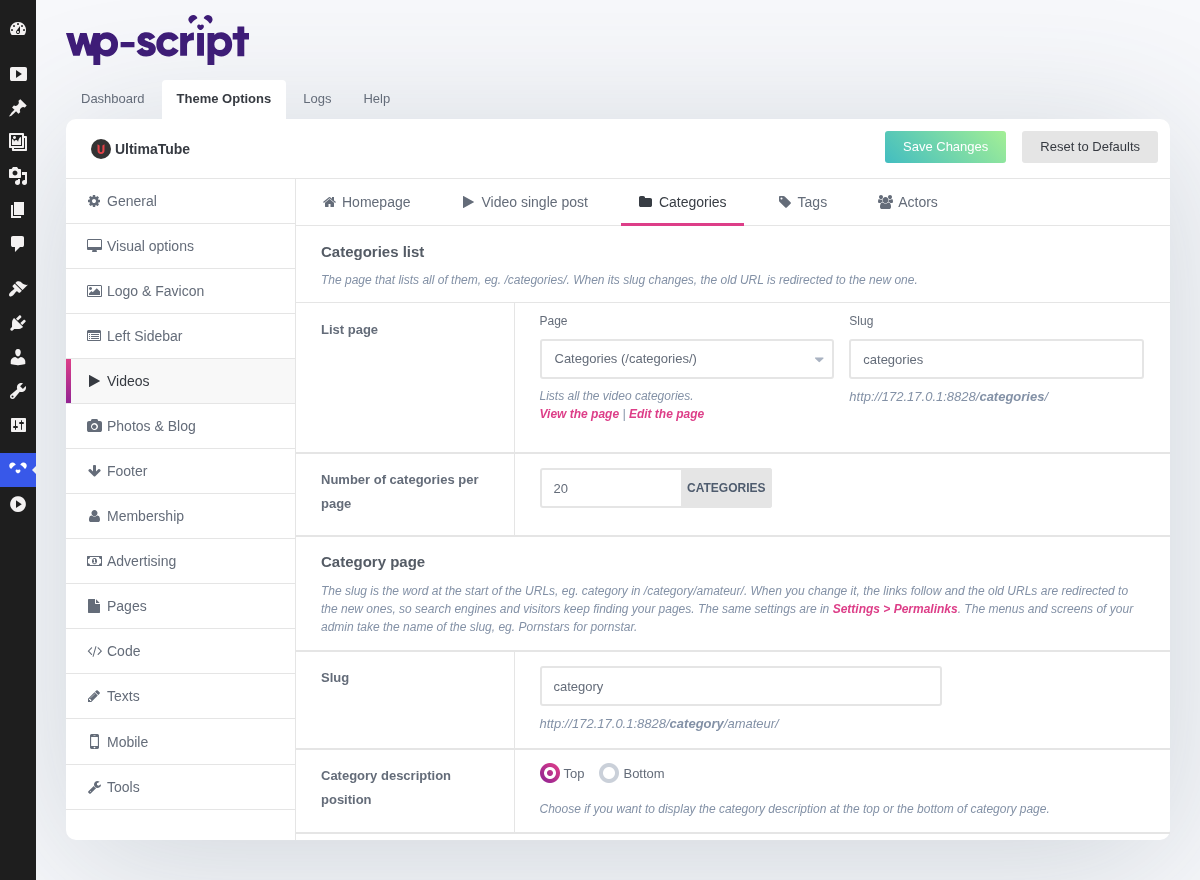
1. Categories List

The page that lists all your video categories, /categories/ by default. When its
slug changes, the old URL is redirected (301) to the new one.
2. List Page

The page playing that role. Only the pages using the Categories template are offered, so you cannot pick a page that would not show the list. Under it are View the page and Edit the page links, or a Create it button when the page was deleted, and the other pages using the same template, each with View and Move to trash.
Change the address of the page in the slug field next to it, previewed as you type. When another page takes the role, the menu links to the old one follow. These fields work like the ones of the Pages tab.
3. Number Of Categories Per Page

This shapes the Categories page, the list built by the Categories page template, not the archives themselves.
The page is only worth having if your categories carry images: one without an image shows a placeholder, and a grid of placeholders looks worse than a plain text list. Setting them is ten minutes of work once, and it turns a text menu into the second most clicked thing on the site.
4. Category Page

The archive of each category, at /category/amateur/ by default, and its options
below.
5. Slug

The word at the start of the category URLs, category in /category/amateur/.
Change it, niche for instance, and save: the links of your site follow
and the old URLs are redirected (301) to the new ones, so search engines and
visitors keep finding your pages. It is the same setting as Category base in Settings → Permalinks: change it in either place.
Your admin follows the slug too: with niche, the menu and the screens
name them Niches. A slug already used by another part of the theme is
refused with a notice, and leaving the field empty goes back to category.
6. Category Description Position

Choose if you want to display the category description at the top or the bottom of category page.
Same trade-off as on the homepage: above the videos is what search engines prefer, below is what visitors prefer. Below is the usual answer, since a category page already gets its keyword from the title and the URL.