Visual Options
The accent colour, and the background the site sits on.
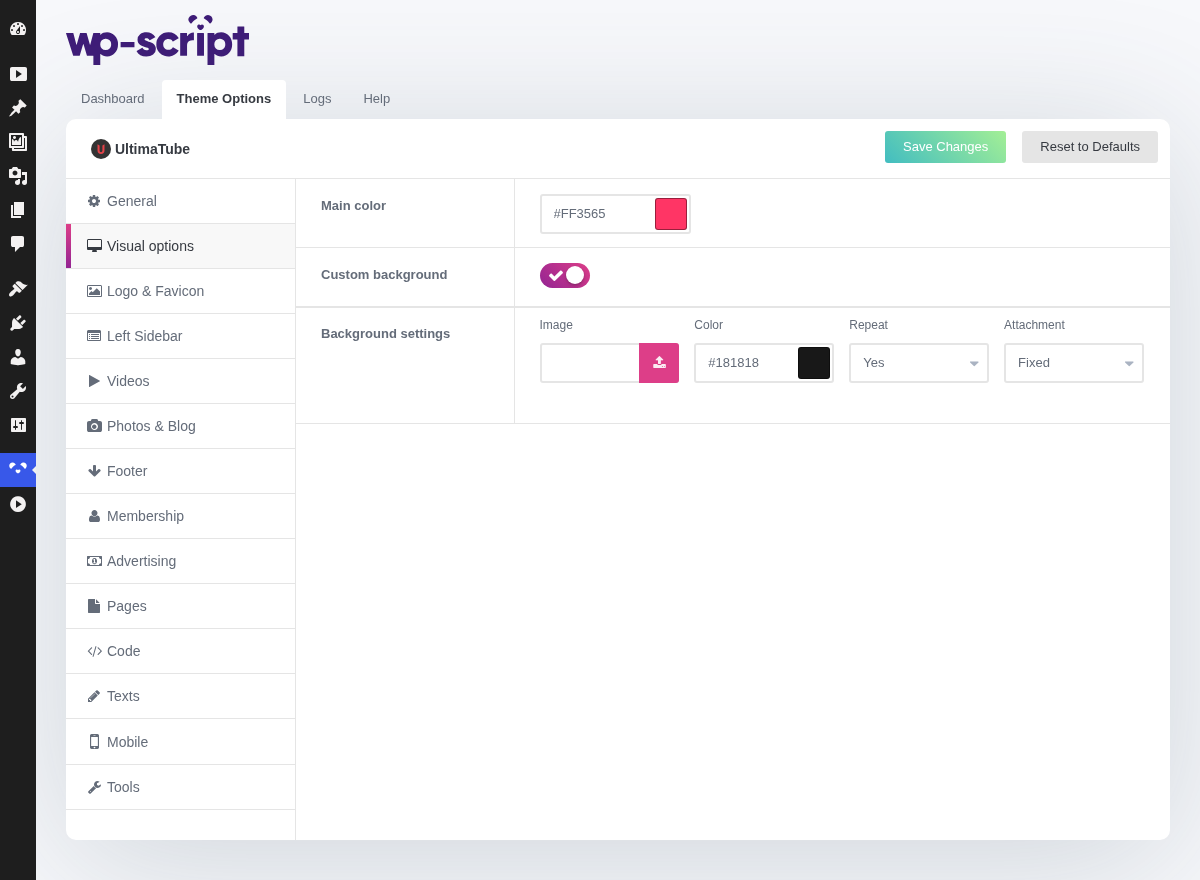
1. Main Color

It is used for links, buttons, the rating bar and the player, so it carries both "this is a link" and "this is the main action" on its own. There is no second accent to fall back on.
It has to read against the theme's background, and a colour that looks right in the picker can be invisible in place, so check it on the site rather than in your head. If you have a logo, take the colour from it: a tube whose accent matches its logo looks deliberate at no extra cost.
2. Custom Background

Setting a background is a niche site trick: an image behind a lesbian tube tells the visitor where they are before they have read a word.
It is loaded on every page, before anything else is visible, so its weight is your visitor's first second. A 3 MB photo costs every visitor 3 MB; a small texture, repeated, costs nothing.
3. Background Settings

The settings that decide how the image behaves are the last three. Repeat
is for textures, where one tile fills the page. Attachment set to fixed
keeps the image still while the page scrolls, which usually looks better than
an image sliding past. Size set to cover is the right answer for a
photographic background; contain shows the whole image and leaves gaps.