Pages
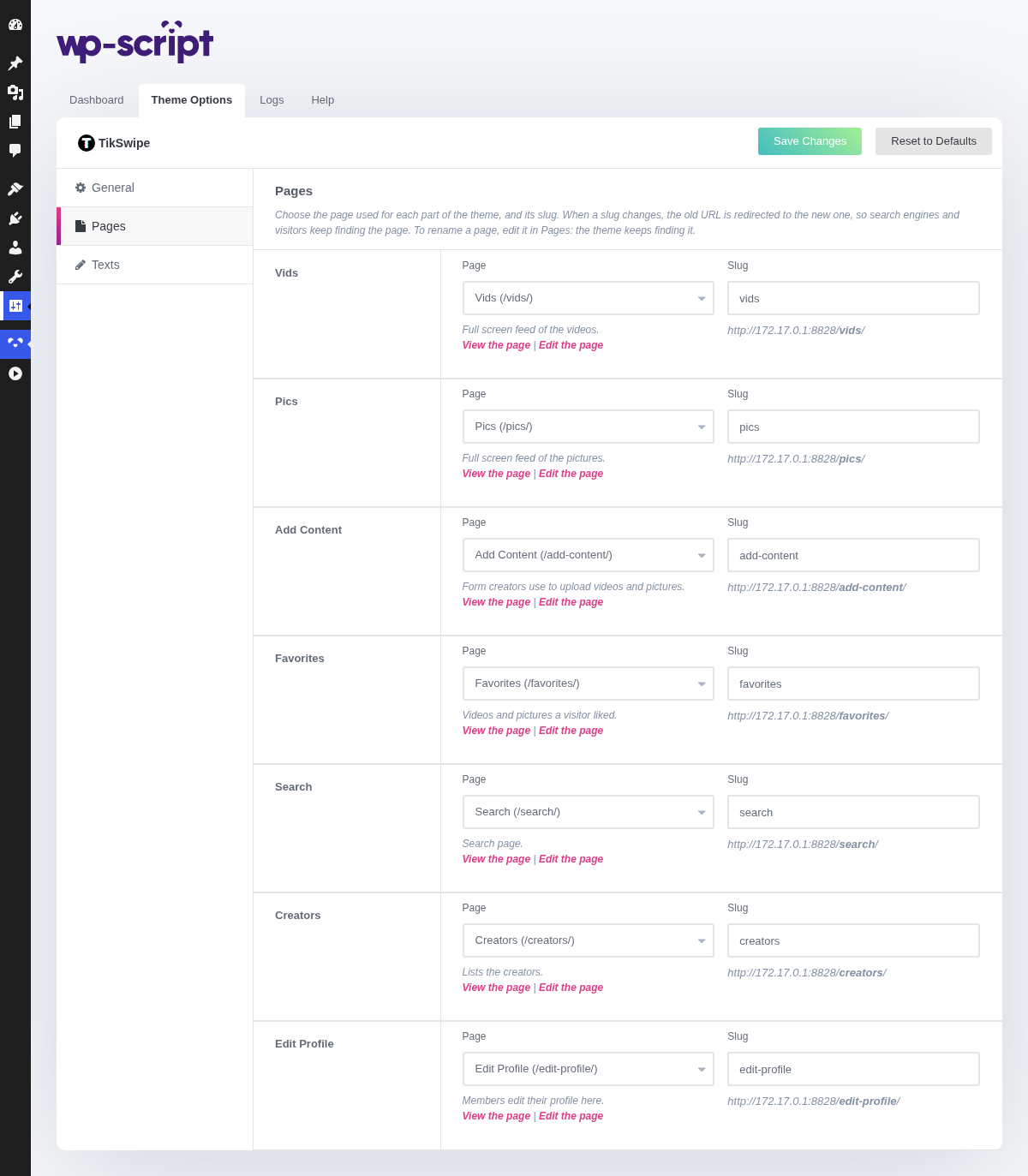
The pages TikSwipe relies on, and their slugs. The theme creates them when it is activated, then keeps track of each one by its id: you can rename a page or change its slug without the theme losing it or creating it again. See Page Templates for what each page shows.
1. Pages

Each row pairs a role of the theme with the page that plays it, and that page's slug.
- Page: the page used for this role. The list only offers the pages using the template of that role, so you cannot pick a page that would not show the feed or the form. Choosing another page moves the menu links of the old page to it.
- Slug: the end of the page's URL. When you change it, the old URL is redirected (301) to the new one, so visitors and search engines keep finding the page. WordPress does not do this for pages on its own. If the slug is already taken, WordPress gives the page a close variant and a notice tells you which one.
Under each page, View the page and Edit the page links, and a warning when the page is not published, since your visitors cannot see it then. When the page is missing, Create it creates it again with its template.
When other pages use the same template, they are listed under the field with View and Move to trash. Trash a duplicate from here and the menu links to it lead to the page chosen here; you can restore it from Pages.
To rename a page, edit its title in Pages: the theme keeps finding it.
When more than one page of the theme is missing, a Missing pages row appears at the bottom of this tab. Create the missing pages creates every one that does not exist, with its template.
2. Vids

The full screen feed of your videos, /vids/ by default.
3. Pics

The full screen feed of your pictures, /pics/ by default.
4. Add Content

The form creators use to upload videos and pictures, /add-content/ by
default.
5. Favorites

The videos and pictures a visitor liked, /favorites/ by default.
6. Search

The search page, /search/ by default.
7. Creators

The page listing your creators, /creators/ by default.
8. Edit Profile

The page where members edit their profile, /edit-profile/ by default.