General
How videos behave in the feed, the image quality, and if visitors can post their own content.
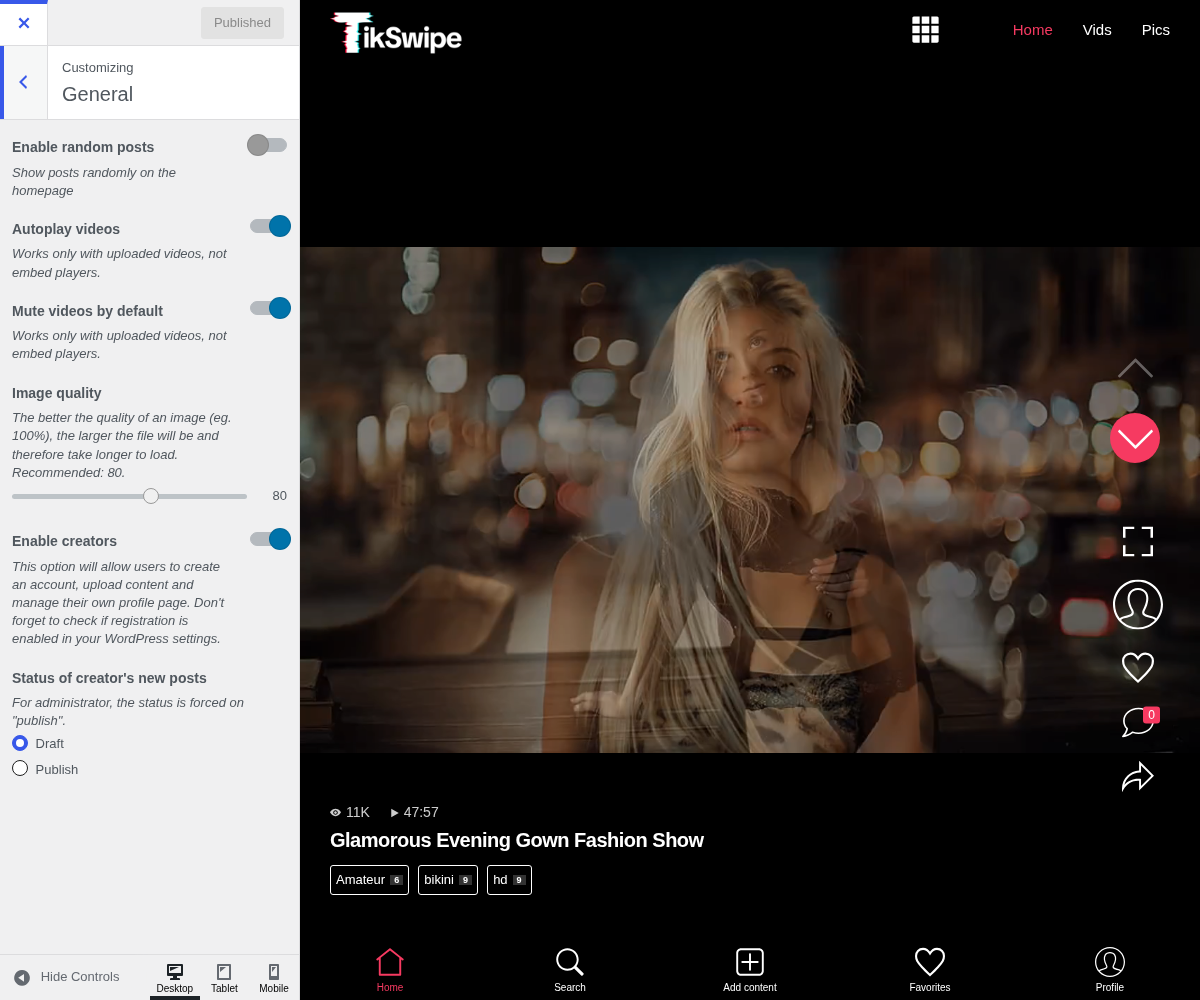
1. Enable Random Posts

Show posts randomly on the homepage. Off, the feed runs newest first. On, it is shuffled.
On a swipe feed this matters more than on a grid: a visitor sees one video at a time, so a fixed order means the same first few videos on every visit, and the back of your library is never reached. Random is usually the better default here even if it would not be on a grid.
2. Autoplay Videos

Works only with uploaded videos, not embed players. Goes together with Mute videos by default below, more than the two switches let on: this is a rule of the browser, not of the theme. Chrome, Safari, Firefox and Edge all refuse to start a video with sound until the visitor has interacted with the page, and they apply it to the standard HTML5 player every self-hosted mp4 uses. Nothing in a theme can override it, and no other WP-Script product can either.
So a feed set to autoplay unmuted simply will not play on a first visit. Muted autoplay is the only combination that starts from the first swipe, which is why every feed app on the internet starts muted, and why a visitor has to tap the sound on themselves.
3. Mute Videos By Default

Works only with uploaded videos, not embed players. Both this and Autoplay videos only apply to files you host. A provider's embed brings its own player and its own rules, and ignores them entirely.
4. Image Quality

The better the quality of an image (eg. 100%), the larger the file will be and therefore take longer to load. Recommended: 80, which is sound: the difference above it is hard to see and the file size is not.
Lower it if your feed is slow on mobile connections. Raise it only if you can see the artefacts on a real phone, rather than on a desktop monitor.
5. Enable Creators

This option will allow users to create an account, upload content and manage their own profile page. Don't forget to check if registration is enabled in your WordPress settings.
Two things worth knowing before switching it on: creators upload real files to your server rather than links, and WordPress registration has to be allowed separately at Settings → General. Both are covered in Creators.
6. Status Of Creator's New Posts

For administrator, the status is forced on "publish". Decides if what a creator sends is published straight away or held as a draft.