Logo & Favicon
Your logo is the one thing on every page of the site, so it is worth ten minutes at the start. FamousTube gives you two ways to set it: upload an image, or have the theme build one from two words.
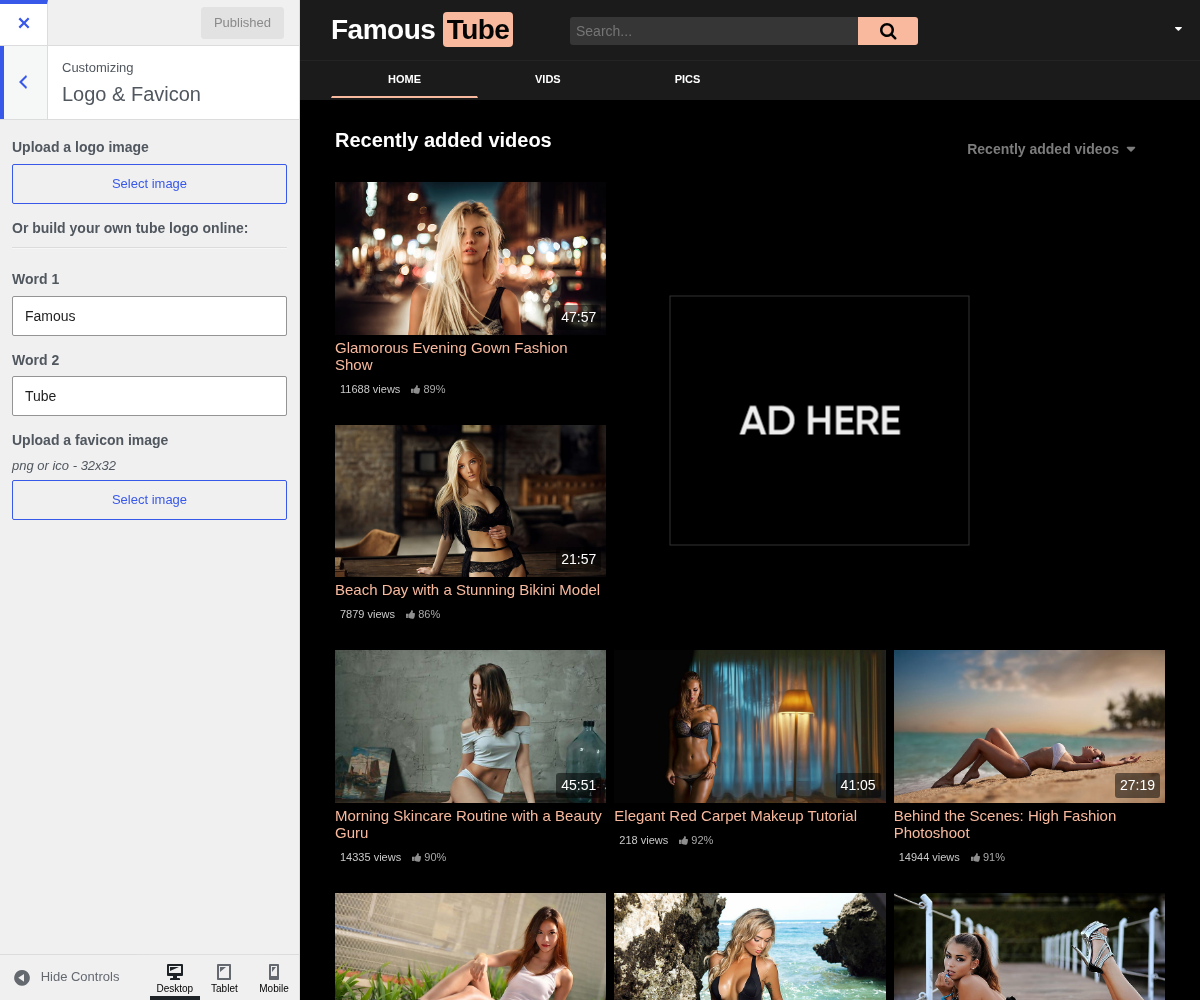
1. Upload A Logo Image

Your own logo file, shown in the header in place of the text logo.
Upload a transparent PNG or an SVG: the header has a dark background, and a logo exported on white arrives as a white rectangle. Size it around 40 pixels tall, since that is the height the header gives it, and let the width follow.
Leave this empty to use the two-word logo below instead.
2. Or Build Your Own Tube Logo Online:

The alternative to uploading anything. The theme renders your site name as two words, the second one on a block of your main colour, which is the look the WP-Script tube themes are known for.
This is only used when no logo image is uploaded. It costs nothing, needs no designer, and stays sharp on every screen, so it is a sound choice for a site that is still finding its identity.
3. Word 1

The first word, in plain white text. Defaults to Your.
Keep the pair short. Two words of five or six letters each read as a logo; a sentence reads as a title and breaks the header on mobile.
4. Word 2

The second word, printed on a block of your
main colour. Defaults to logo.
This is the half people remember, so give it the distinctive part of the name.
For a site called FamousTube, Famous in word 1 and Tube in word 2.
5. Upload A Favicon Image

The small icon shown in the browser tab, in bookmarks, and on a phone's home screen when someone saves your site.
Upload a square PNG or ICO, 32 by 32 pixels. It is displayed at about 16 pixels, so a full logo turns to mush: use a single letter or a simple mark. Sites without one show the browser's blank page icon, which looks unfinished next to any tab beside it.
png or ico - 32x32