Data to Import
Choose which pieces of video data get imported when you bring in a new video, manually or through Auto Import. Every option here is a simple on/off switch, and all of them are on by default.
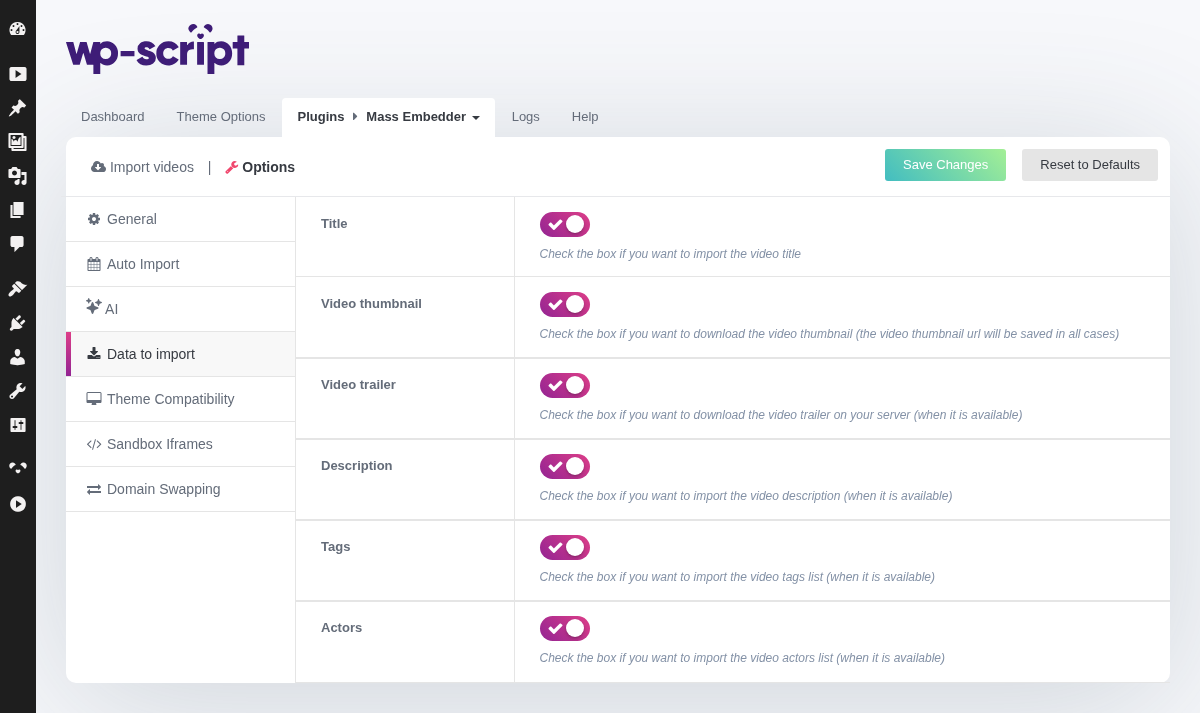
1. Title

Import the video's title.
2. Video Thumbnail

Check the box if you want to download the video thumbnail (the video thumbnail url will be saved in all cases)
Move this text under the option it describes, or delete it. -->
Move this text under the option it describes, or delete it. -->
Download the video thumbnail to your own server. The thumbnail URL from the source is always saved regardless of this setting; this option decides if the image file itself is also downloaded locally.
3. Video Trailer

Check the box if you want to download the video trailer on your server (when it is available)
Move this text under the option it describes, or delete it. -->
Move this text under the option it describes, or delete it. -->
Download the video trailer/preview file to your own server, when the source provides one.
4. Description

Check the box if you want to import the video description (when it is available)
5. Tags

Check the box if you want to import the video tags list (when it is available)
6. Actors

Check the box if you want to import the video actors list (when it is available)
7. Description
Import the video description, when the source provides one.
8. Tags
Import the video's tags list, when the source provides one.
9. Actors
Import the video's actors list, when the source provides one.