General
The General tab controls how many videos are returned when you search for content, what status new videos get, and if you need a proxy to reach partner sites.
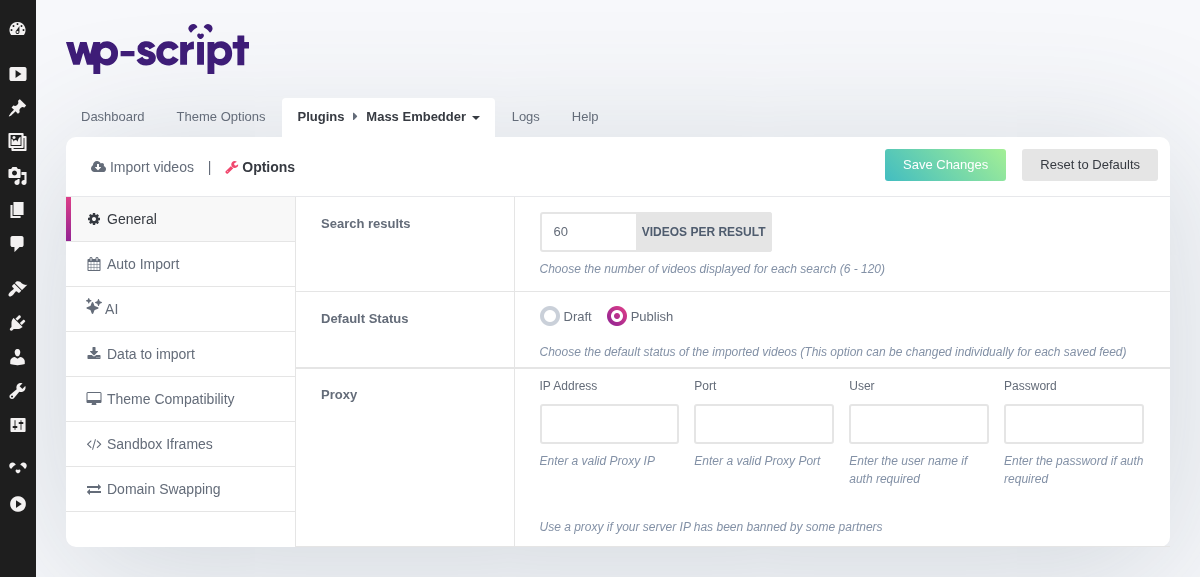
1. Search Results

Choose how many videos are displayed for each search, from 1 to 120 (default: 60). If a partner site is blocking or slowing down your requests, lowering this number can help by reducing the number of thumbnails/details WPS Mass Embedder has to fetch per search.
2. Default Status

Choose the default status (Draft or Publish) applied to videos you import. Publish is the default so imported videos go live immediately, but this can be overridden individually for each saved feed if you want some feeds to always land as drafts for manual review.
3. Proxy
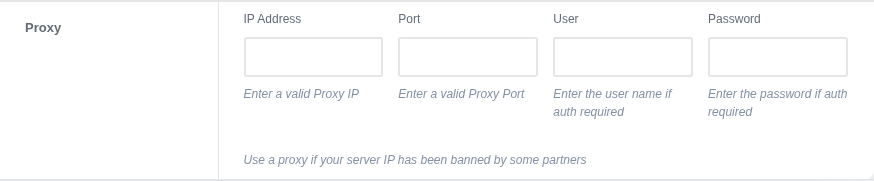
Use a proxy if your server's IP address has been banned by one of the partner tube sites. Fill in the Proxy IP, Port, and, if your proxy requires authentication, the User and Password fields.