Sandbox Iframes
Embedded videos from partner sites are shown in an <iframe>. Some partners inject ads or redirect the visitor to the original tube site from inside that iframe. Enabling sandboxing for a partner applies the HTML sandbox attribute to its iframe, which blocks scripts from navigating the top-level page or opening new windows/tabs on their own.
This is experimental: sandboxing is stricter than what most partner players expect, and can occasionally break playback (controls not responding, fullscreen not working, etc.) for that specific partner. If a player misbehaves after enabling sandboxing for a site, turn it back off for that partner. Desktop and Mobile can be sandboxed independently for each partner, since some partners only misbehave on one or the other.
xHamster and TubeCorporate-network sites are excluded from this list entirely: xHamster blocks its iframe outright when sandboxed, so there is no toggle for it.
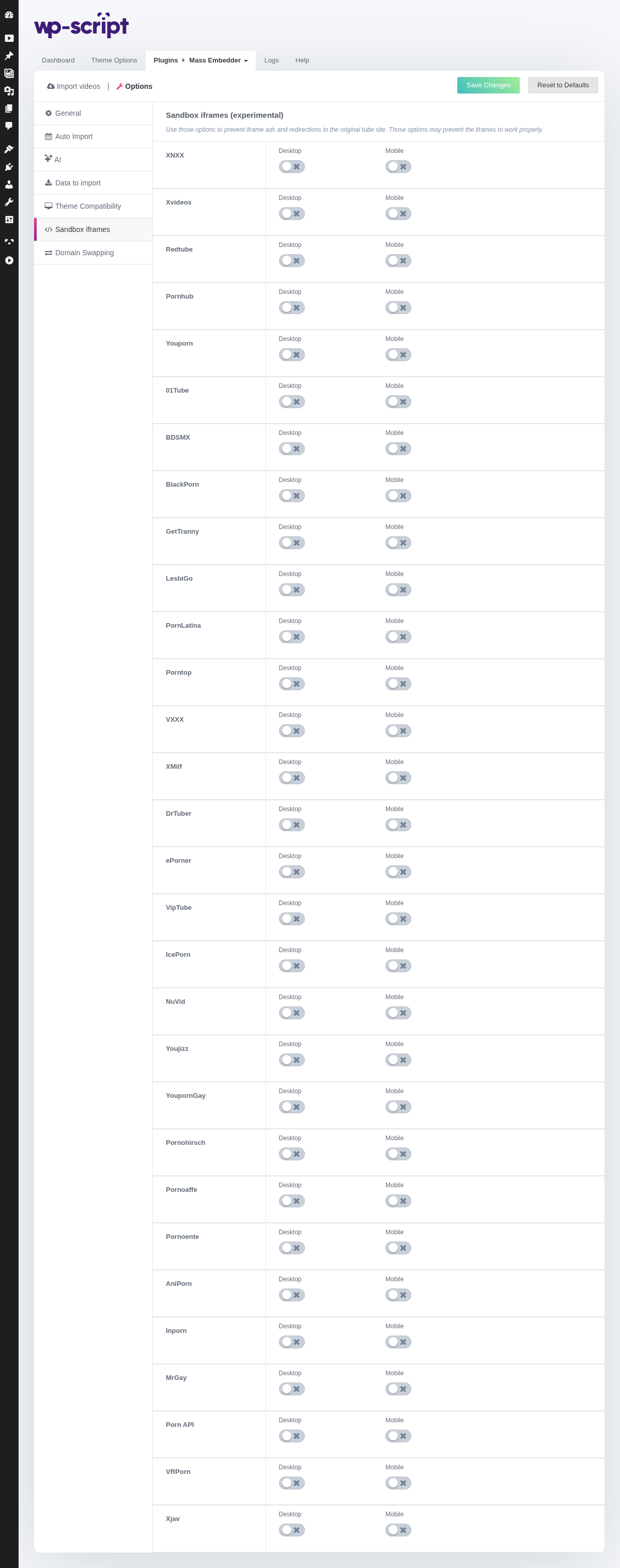
1. Sandbox Iframes (experimental)

Use those options to prevent iframe ads and redirections to the original tube site. Those options may prevent the iframes to work properly.
Move this text under the option it describes, or delete it. -->
Move this text under the option it describes, or delete it. -->
2. XNXX

3. Xvideos

4. Redtube

5. Pornhub

6. Youporn

7. 01Tube

8. BDSMX

9. BlackPorn

10. GetTranny

11. LesbiGo

12. PornLatina

13. Porntop

14. VXXX

15. XMilf

16. DrTuber

17. EPorner

18. VipTube

19. IcePorn

20. NuVid

21. Youjizz

22. YoupornGay

23. Pornohirsch

24. Pornoaffe

25. Pornoente

26. AniPorn

27. Inporn

28. MrGay

29. Porn API

30. VRPorn

31. Xjav

32. XNXX
33. Xvideos
34. Redtube
35. Pornhub
36. Youporn
37. 01Tube
38. BDSMX
39. BlackPorn
40. GetTranny
41. LesbiGo
42. PornLatina
43. Porntop
44. VXXX
45. XMilf
46. DrTuber
47. EPorner
48. VipTube
49. IcePorn
50. NuVid
51. Youjizz
52. YoupornGay
53. Pornohirsch
54. Pornoaffe
55. Pornoente
56. AniPorn
57. Inporn
58. MrGay
59. Porn API
60. VRPorn
61. Xjav