Boost New Posts
The Boost New Posts block sets a starting view, like and dislike count on every new post the moment it's published, so a brand new post never shows up with a zero next to it.
1. Turning it on
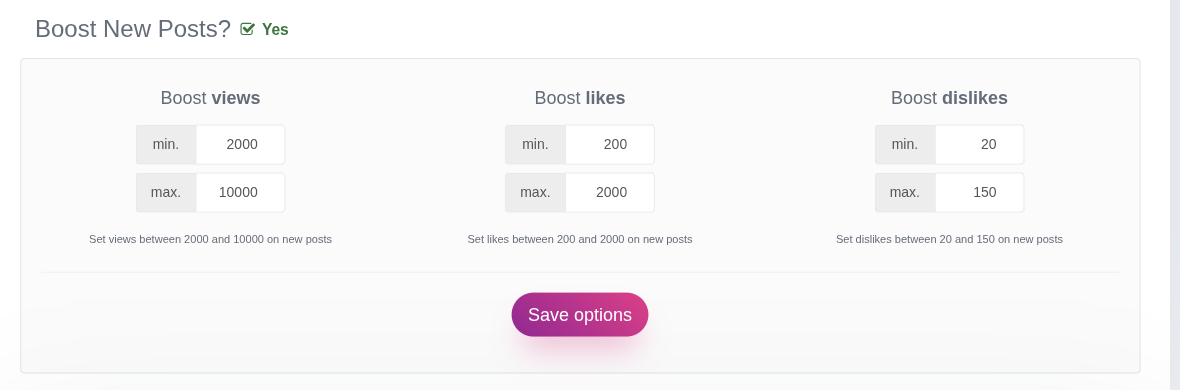
Click the Boost New Posts? toggle at the top of the block. Once it's on, three ranges appear: Views, Likes and Dislikes, each with a minimum and a maximum value.
For each new post, Booster picks a random number inside the range you set for each metric and applies it as soon as the post is published. Editing an already-published post does not trigger this again, only the initial publish does.
The default ranges are:
| Metric | Min | Max |
|---|---|---|
| Views | 2,000 | 10,000 |
| Likes | 200 | 2,000 |
| Dislikes | 20 | 150 |
Adjust the min and max fields to whatever range fits your site, then click Save options.
2. Turning it off
Click the toggle again to switch it to No. New posts then publish with no boost applied, keeping whatever count your theme starts at (usually zero).