Boost Existing Posts
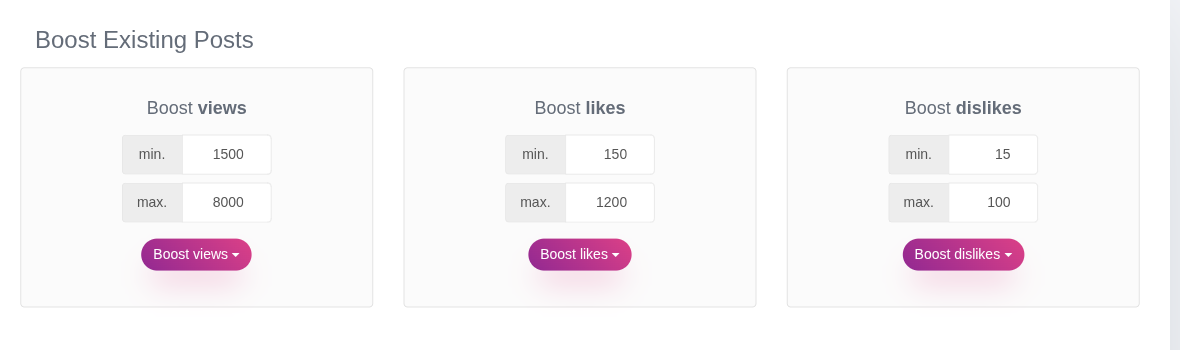
The Boost Existing Posts block applies a one-time boost to every post already on your site, useful right after an import, or whenever you want to refresh your numbers in bulk. Views, Likes and Dislikes are three independent blocks, each boosted on its own.
1. Setting a range
For each metric, set a min. and a max. value. Booster picks a random number in that range for every post it processes. Set min and max to the same number to apply a fixed value to every post instead of a range.
2. Replace or Add
Click the Boost Views / Likes / Dislikes dropdown button and pick one of two actions:
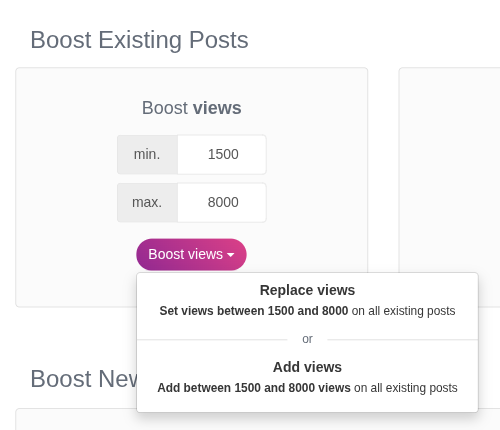
- Replace: overwrites each post's current value with a new random number from the range, discarding whatever was there before.
- Add: adds a random number from the range on top of each post's current value, so existing counts only go up.
The dropdown previews exactly what will happen (for example "Set Views between 2,000 and 10,000 on all existing posts") before you commit.
3. What happens during a boost
Booster processes all posts in batches of 50 over AJAX, with a progress bar showing the percentage complete. Leave the page open until it reaches 100%. On a large site this can take a while since every post needs its own random value; there's no way to pause and resume a boost in progress.