Placing Banners in a WP-Script Theme
Every WP-Script tube theme reserves a handful of ad zones (header, sidebar, in-player, footer). WPS Ad Manager can fill those zones automatically, without editing a single template file, as long as the banner is tagged with the right zone.
1. How it works
Each theme exposes its own set of zone slugs. RetroTube, for example, exposes:
| Zone | Slug |
|---|---|
| Header Zone (Desktop) | header-ad-desktop |
| Header Zone (Mobile) | header-ad-mobile |
| Sidebar (Desktop) | sidebar-ad-desktop |
| Sidebar (Mobile) | sidebar-ad-mobile |
| Before Play Zone 1 (Desktop) | inside-player-ad-zone-1-desktop |
| Before Play Zone 2 (Desktop) | inside-player-ad-zone-2-desktop |
| Under Player (Desktop) | under-player-ad-desktop |
| Footer Zone (Desktop) | footer-ad-desktop |
| Footer Zone (Mobile) | footer-ad-mobile |
Assigning a banner to a zone is done from the banner itself, not from a separate screen: open Ad Manager → Banners → Edit on the banner you want to place, and in the Placement field pick your active theme (detected automatically) then choose a zone from the dropdown.
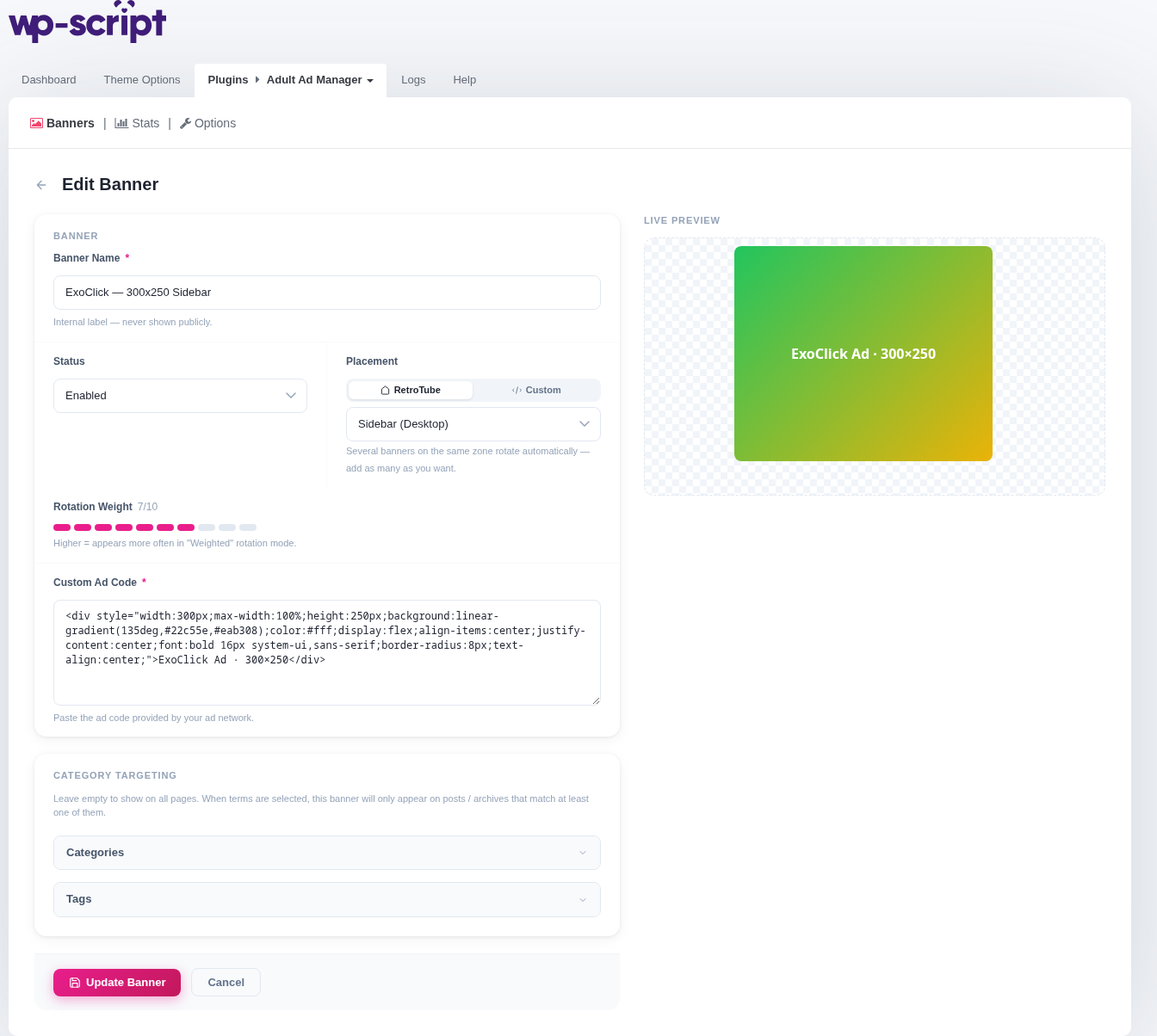
Save the banner. WPS Ad Manager hooks into the theme's own settings so the zone is filled on the next page load, no theme edit required.
2. Multiple banners per zone
You are not limited to one banner per zone. Assign several banners to the same zone slug and the plugin rotates between them using whichever Rotation Mode is set (weighted, random, or auto-optimized by CTR). This is the same mechanism the Options → Rotation page controls.
3. Result on the front-end
With one banner assigned to header-ad-desktop and another to sidebar-ad-desktop, RetroTube renders both automatically:
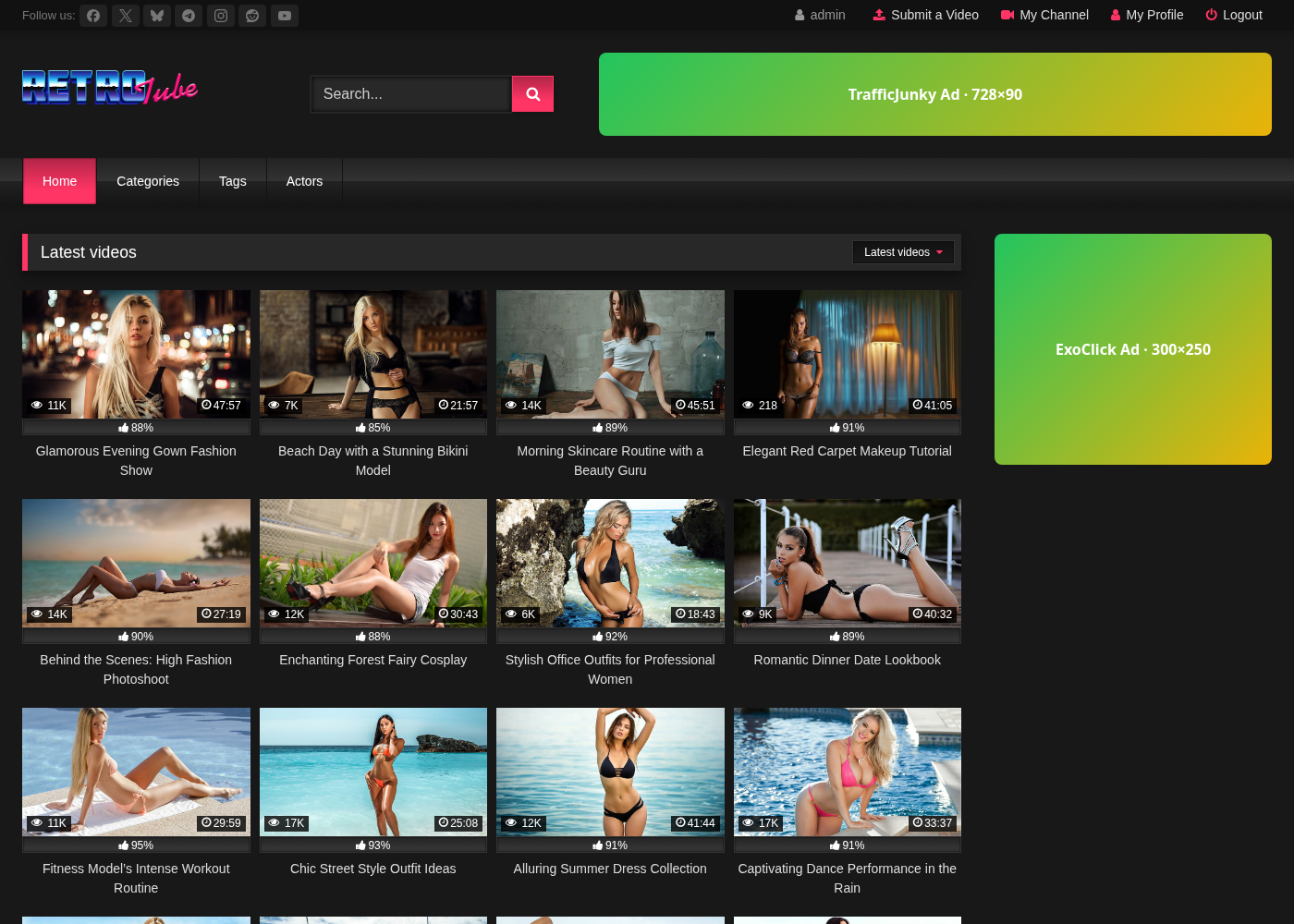
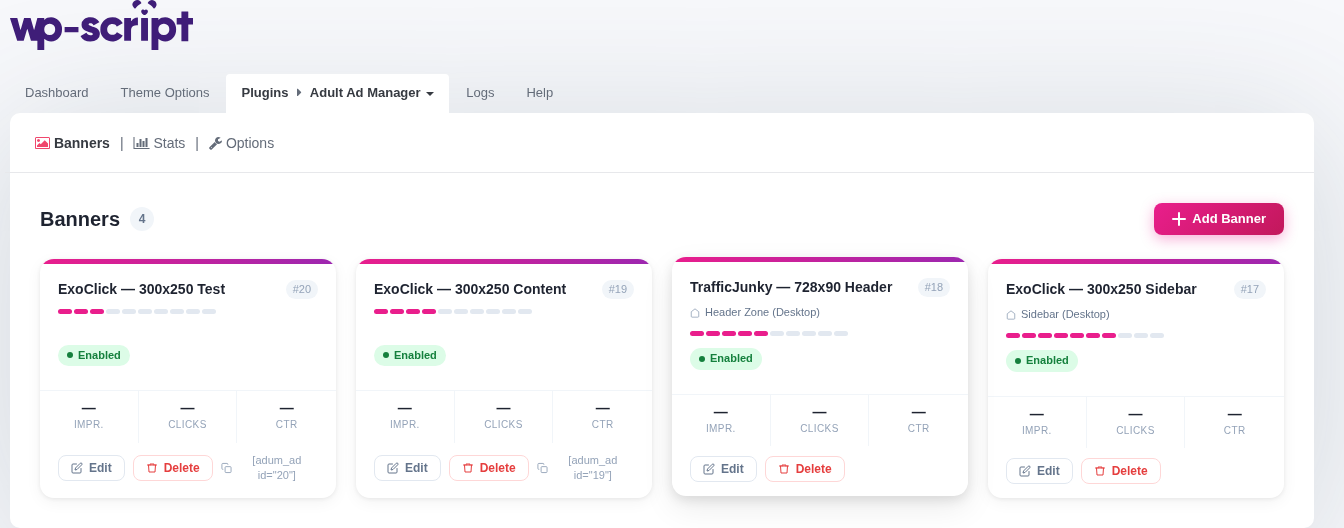
The banners list also shows which zone each banner is currently filling, and tracks impressions per zone:
4. Adding support for another theme
The built-in registry currently covers RetroTube. Any theme can add its own zones with the adum_themes_registry filter:
add_filter( 'adum_themes_registry', function ( $registry ) {
    $registry['my-theme'] = array(
        'label'      => 'My Theme',
        'option_key' => 'my-theme-options',
        'zones'      => array(
            'header-ad' => array( 'label' => 'Header Ad', 'icon' => 'header' ),
        ),
    );
    return $registry;
} );
option_key must match the WordPress option the theme's own settings are stored under, and each zone slug must be a key the theme actually reads when rendering that area.
